
Creative & Design✨gemini💬gpt🌐universal
Agent CLI
A suite of local AI-powered command-line tools
Quick Start
Install this Skill
npx skills add basnijholt/agent-cli# Agent CLI
<img src="https://raw.githubusercontent.com/basnijholt/agent-cli/refs/heads/main/.github/logo.svg" alt="agent-cli logo" align="right" style="width: 200px;" />
`agent-cli` is a collection of **_local-first_**, AI-powered command-line agents that run entirely on your machine.
It provides a suite of powerful tools for voice and text interaction, designed for privacy, offline capability, and seamless integration with system-wide hotkeys and workflows.
> [!TIP]
> **Short aliases available:** You can use `agent` or `ag` instead of `agent-cli` for convenience.
> [!IMPORTANT]
> **Local and Private by Design**
> All agents in this tool are designed to run **100% locally**.
> Your data, whether it's from your clipboard, microphone, or files, is never sent to any cloud API.
> This ensures your privacy and allows the tools to work completely offline.
> You can also optionally configure the agents to use OpenAI/Gemini services.
<!-- SECTION:why-i-built-this:START -->
## Why I built this
I got tired of typing long prompts to LLMs. Speaking is faster, so I built this tool to transcribe my voice directly to the clipboard with a hotkey.
**What it does:**
- Voice transcription to clipboard with system-wide hotkeys (Cmd+Shift+R on macOS)
- Autocorrect any text from your clipboard
- Edit clipboard content with voice commands ("make this more formal")
- Runs locally - no internet required, your audio stays on your machine
- Works with any app that can copy/paste
I use it mostly for the `transcribe` command when working with LLMs. Being able to speak naturally means I can provide more context without the typing fatigue.
Since then I have expanded the tool with many more features, all focused on local-first AI agents that integrate seamlessly with your system.
<!-- SECTION:why-i-built-this:END -->
[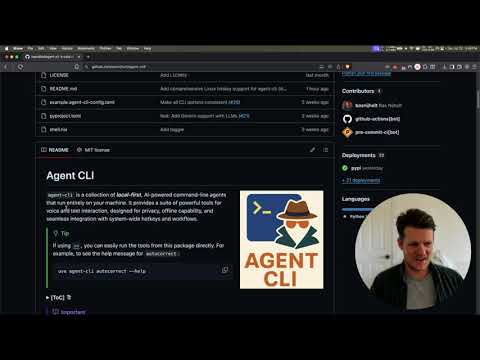](http://www.youtube.com/watch?v=7sBTCgttH48 "Agent-CLI: Local AI Voice & Text Tools on Your Desktop (macOS Demo)")
*See agent-cli in action: [Watch the demo](https://www.youtube.com/watch?v=7sBTCgttH48)*
## Features
- **[`autocorrect`](docs/commands/autocorrect.md)**: Correct grammar and spelling in your text using a local LLM.
- **[`transcribe`](docs/commands/transcribe.md)**: Transcribe audio from your microphone to clipboard.
- **[`speak`](docs/commands/speak.md)**: Convert text to speech using a local TTS engine.
- **[`voice-edit`](docs/commands/voice-edit.md)**: Edit clipboard text with voice commands.
- **[`assistant`](docs/commands/assistant.md)**: Wake word-based voice assistant.
- **[`chat`](docs/commands/chat.md)**: Conversational AI with tool-calling capabilities.
- **[`memory`](docs/commands/memory.md)**: Long-term memory system with `memory proxy` and `memory add`.
- **[`rag-proxy`](docs/commands/rag-proxy.md)**: RAG proxy server for chatting with your documents.
- **[`dev`](docs/commands/dev.md)**: Parallel development with git worktrees and AI coding agents.
- **[`server`](docs/commands/server/index.md)**: Local ASR and TTS servers with dual-protocol (Wyoming & OpenAI-compatible APIs), TTL-based memory management, and multi-platform acceleration. Whisper uses MLX on Apple Silicon or Faster Whisper on Linux/CUDA. TTS supports Kokoro (GPU) or Piper (CPU).
- **[`transcribe-live`](docs/commands/transcribe-live.md)**: Continuous background transcription with VAD. Install with `uv tool install "agent-cli[vad]" -p 3.13`.
## Quick Start
### Just want the CLI tool?
If you already have AI services running (or plan to use OpenAI), simply install:
```bash
# Using uv (recommended)
uv tool install agent-cli -p 3.13
# Using pip
pip install agent-cli
```
> [!NOTE]
> The `-p 3.13` flag is required because some dependencies (like `onnxruntime`) don't support Python 3.14 yet.
> See [uv issue #8206](https://github.com/astral-sh/uv/issues/8206) for details.
Then use it:
```bash
agent-cli autocorrect "this has an eror"
```
### Want automatic setup with everything?
We offer two ways to set up agent-cli with all services:
#### Option A: Using Shell Scripts (Traditional)
```bash
# 1. Clone the repository
git clone https://github.com/basnijholt/agent-cli.git
cd agent-cli
# 2. Run setup (installs all services + agent-cli)
./scripts/setup-macos.sh # or setup-linux.sh
# 3. Start services
./scripts/start-all-services.sh
# 4. (Optional) Set up system-wide hotkeys
./scripts/setup-macos-hotkeys.sh # or setup-linux-hotkeys.sh
# 5. Use it!
agent-cli autocorrect "this has an eror"
```
#### Option B: Using CLI Commands (New!)
> [!NOTE]
> `agent-cli` uses `sounddevice` for real-time microphone/voice features.
> On Linux only, you need to install the system-level PortAudio library (`sudo apt install portaudio19-dev` / your distro's equivalent on Linux) **before** you run `uv tool install agent-cli -p 3.13`.
> On Windows and macOS, this is handled automatically.
```bash
# 1. Install agent-c
... (truncated)Repository
103stars
9forks
Details
Related Skills
More creative & design skills you might like
expo-router
Creative & DesignNavigation and routing for Expo Router. Covers file-based routes, groups and dynamic routes, folder organization, Link with previews and context menus, native Stack, page titles, modals and form sheets, NativeTabs, headers and toolbars, and header search bars.
🌐universal
2.8k
178
View
expo-native-ui
Creative & DesignBuild beautiful, native-feeling Expo screens. Covers Apple HIG styling, semantic colors, native controls, SF Symbols, media, visual effects, gradients, storage, and responsive layout. For routing and navigation, use the expo-router skill; for motion and animation, use the expo-animation skill.
🌐universal
2.8k
178
View
frontend-slides
Creative & DesignCreate stunning, animation-rich HTML presentations from scratch or by converting PowerPoint files. Use when the user wants to build a presentation, convert a PPT/PPTX to web, or create slides for a talk/pitch. Helps non-designers discover their aesthetic through visual exploration rather than abstract choices.
🤖claude🌐universal
30.6k
2.4k
View
frontend-slides
Creative & DesignCreate stunning, animation-rich HTML presentations from scratch or by converting PowerPoint files. Use when the user wants to build a presentation, convert a PPT/PPTX to web, or create slides for a talk/pitch. Helps non-designers discover their aesthetic through visual exploration rather than abstract choices.
🤖claude🌐universal
30.6k
2.4k
View