
Coding & Development🌐universal
📥 How to install
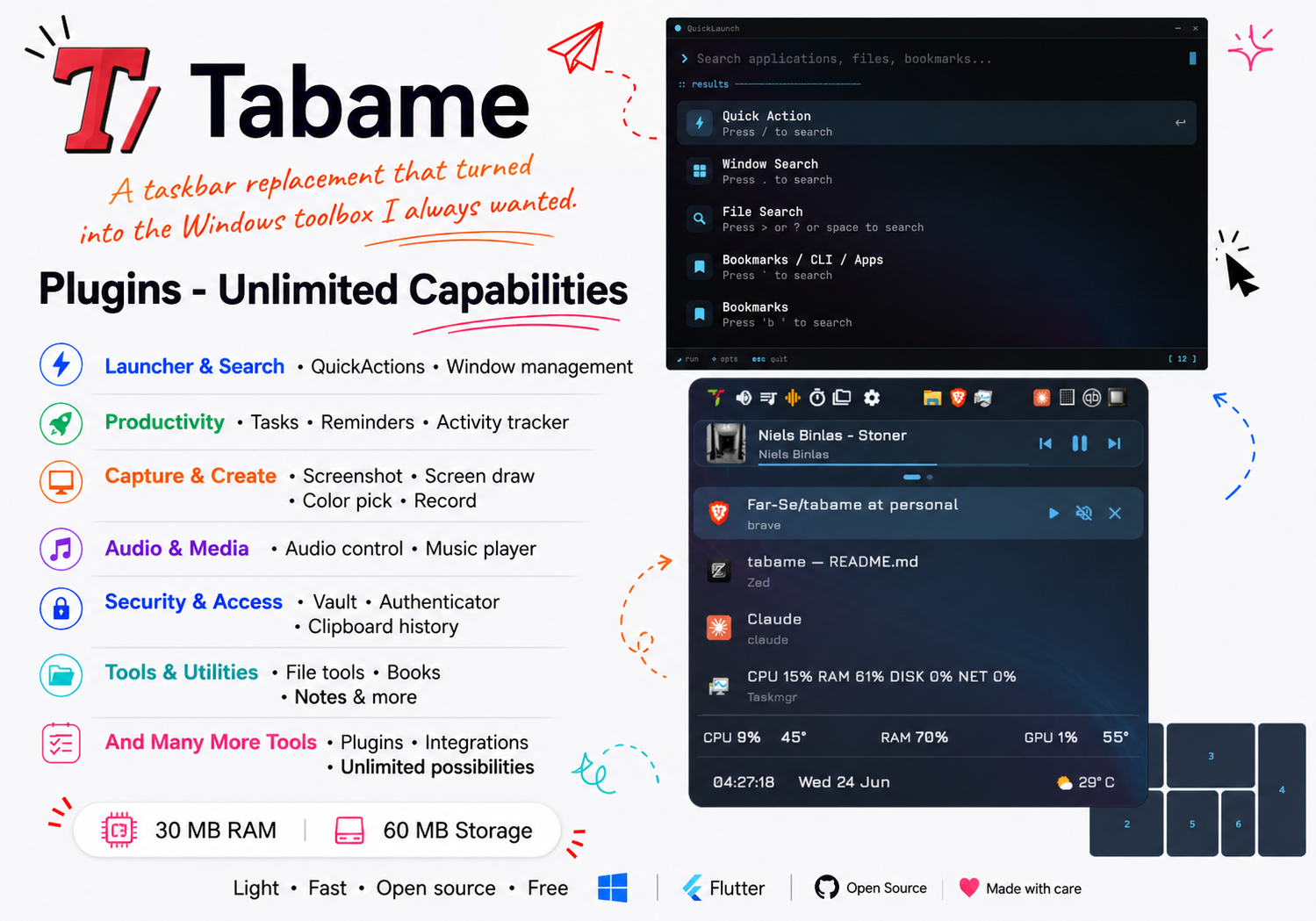
Tabame is an alternative to Windows Taskbar. It's Raycast and Powertoys combined.
Quick Start
Install this Skill
npx skills add Far-Se/tabame<!--<div align="center">
<img src="resources/logo_light.png" width="80px">
<h1>Tabame</h1>
<p><em>A taskbar replacement that turned into the Windows toolbox I always wanted.</em></p>
</div>-->
<p align="center">
[](https://github.com/Far-Se/tabame/releases/tag/v1.3)
[](https://github.com/Far-Se/tabame/releases/tag/nightly)







</p>
<a href="https://apps.microsoft.com/detail/9pd3c6hzf5lj?referrer=githubReadme" target="_self" >
<img src="https://get.microsoft.com/images/en-us%20dark.svg" width="200"/>
</a>
<!--# PSA: You can grab the [nightly build](https://github.com/Far-Se/tabame/releases/tag/nightly)-->
## 🤔 What is this?
Tabame (Ta-ba-me -> **TA**sk**BA**r**ME**nu) started as a Windows taskbar replacement. I don't like the flashing icons, the badges, the notifications and all the stuff Microsoft keeps pushing into my face. So I made a little popup menu (the **QuickMenu**) that shows my open windows, my audio, my pinned apps - and nothing else unless I ask for it.
Then I kept getting ideas. "It'd be nice if I could also..." - and that's how it grew into the thing you see now: a launcher, launcher plugins, a media player, screenshot and drawing tools, a password vault, an authenticator, reminders, activity tracking, file utilities, and a pile of small things I use every day that now total more than 300,000+ lines of code.
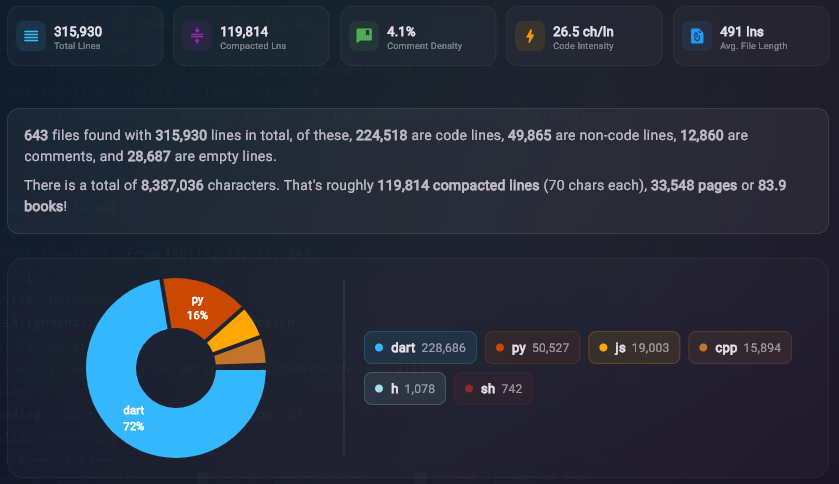
It's all made by one person (me), for the way I actually use my computer. It's free, it's open source, and it tries to stay out of your way until you press a hotkey.
### The best way to use it
### ● QuickMenu
QuickMenu works best with mouse interaction, so try to use a Mouse Button:
- **A mouse side button** - most mice have them, and it's the nicest way to summon the menu.
- **Any extra mouse button** - open your mouse software, bind the button to something like `CTRL+ALT+SHIFT+F9`, then set that same combo inside Tabame.
- **No spare buttons?** Use something easy for your fingers like `WIN+SHIFT+Z` (or `A`).
### ● Launcher
Launcher works best with keyboard, so use a hotkey that is easy to reach:
- `WIN+SHIFT+A` or `WIN+SPACE` or even `Double Alt` or `Right Alt`
If you want to browse opened windows but do no want to open QuickMenu, setup a hotkey like `Win+Shift+D` that will have as trigger "Start Launcher with Prefix" and put the windows prefix `.`
### ● QuickClick
A easy to reach keyboard shortcut, like `Right Alt` or `ALT+,`
### ● FancyShot
You will need to use the mouse, so either setup the QuickMenu hotkey with a "move left/right" or hold duration to trigger Fancyshot.
# 📥 How to install
## Microsoft Store
Easiest fastest and safest way with auto updates: Download it from [Microsoft Store](https://apps.microsoft.com/detail/9pd3c6hzf5lj):
<a href="https://apps.microsoft.com/detail/9pd3c6hzf5lj?referrer=githubReadme" target="_self" >
<img src="https://get.microsoft.com/images/en-us%20dark.svg" width="200"/>
</a>
## Manual Way:
Download the ZIP Archive from [Releases](https://github.com/Far-Se/tabame/releases/) then extract it wherever you want then open `tabame.exe`
I didn't make a `.msi` installer because it's another app that needs to pass that annoying Windows popup.
<!--- `*-setup.exe` is the recommended installer. It installs just for your account without an administrator prompt.-->
<!--- `*.zip` is portable. Extract it anywhere and run `tabame.exe`.-->
Settings, plugins, and other user data are stored in Tabame's application support folder. Open Settings → Integration & Maintenance and use the data-folder link to find it. Existing data from `%LOCALAPPDATA%\Tabame` is copied there automatically the next time Tabame starts.
### 📤 How to uninstall:
Either **Settings → Apps → Installed apps → Tabame → Uninstall**. Or Open Tabame -> Settings -> Config -> Scroll down and press Uninstall.
## 🐛 Found a bug?
Please [open an issue](https://github.com/Far-Se/tabame/issues) - it really help
... (truncated)Repository
372stars
9forks
Details
Related Skills
More coding & development skills you might like
Reticle
Coding & DevelopmentAI agents can generate code, but still struggle to understand what they build. Reticle brings Jev-style machine-native runtime perception to web & desktop applications.
🤖claude🌐universal
1.2k
190
View
agentscope-java
Coding & DevelopmentExpert Java developer skill for AgentScope Java framework - a reactive, message-driven multi-agent system built on Project Reactor. Use when working with reactive programming, LLM integration, agent orchestration, multi-agent systems, or when the user mentions AgentScope, ReActAgent, Mono/Flux, Project Reactor, or Java agent development. Specializes in non-blocking code, tool integration, hooks, pipelines, and production-ready agent applications.
🌐universal
6.0k
1.5k
View
ospec
Coding & DevelopmentDocument-driven OSpec workflow for initialization, change/goal routing, validation, archiving, and durable project knowledge.
✨gemini🤖claude💬gpt🌐universal
524
34
View
misakanet-failure-memory
Coding & Development📚 A zero-dependency, git-backed micro-lesson library for AI Agents to asynchronously share and search verified debugging experience. Python stdlib only. | https://misakanet.org
🤖claude⌨️cursor🌐universal
424
158
View