
Productivity & Workflow✨gemini🤖claude⌨️cursor🌐universal
Project Tiny Context Harness
Minimal project memory and validation harness for AI coding agents.
Quick Start
Install this Skill
npx skills add Seven128/project-tiny-context-harness# Project Tiny Context Harness [](https://www.npmjs.com/package/project-tiny-context-harness) [](https://github.com/Seven128/project-tiny-context-harness/actions/workflows/package.yml) [](https://securityscorecards.dev/viewer/?uri=github.com/Seven128/project-tiny-context-harness) [](LICENSE) [](https://codespaces.new/Seven128/project-tiny-context-harness) Translations: [Chinese (Simplified)](README.zh-CN.md) Project Tiny Context Harness is repo-native project memory for AI coding agents. `project-tiny-context-harness` ships Project Tiny Context Harness through the `sdlc-harness` CLI. It installs **Minimal Context Harness**: a compact `project_context/**` fact source, a short `AGENTS.md` startup router, role Skills and a `validate-context` gate so fresh agents can recover project intent, boundaries, verification entry points and next safe actions quickly. It is not another full SDLC ceremony. The Harness maintains context quality; project tests, reviews, CI and human acceptance still own product quality. Think of it as durable project memory behind `AGENTS.md`, not another agent, process framework or task manager. Best for: - repos where coding agents keep rediscovering project intent - teams using multiple agents or frequent fresh chats - maintainers who want durable context without a full planning ceremony Not for: - replacing tests, review, CI or issue trackers - autonomous SDLC execution - codebase semantic indexing or external docs retrieval Concrete shift: ```text Before: ask a fresh agent to read the repo and tell you what matters. After: ask it to read AGENTS.md and project_context/** first, then summarize goal, non-goals, architecture boundaries and validation paths before proposing code. ``` What gets added: ```mermaid flowchart LR A["Fresh agent session"] --> B["AGENTS.md startup router"] B --> C["project_context/** durable facts"] C --> D["Goal, non-goals, architecture boundaries, validation paths"] D --> E["Code proposal starts with repo intent loaded"] F["Tests / CI / review"] --> G["Product quality evidence"] C -. "does not own" .-> G ``` 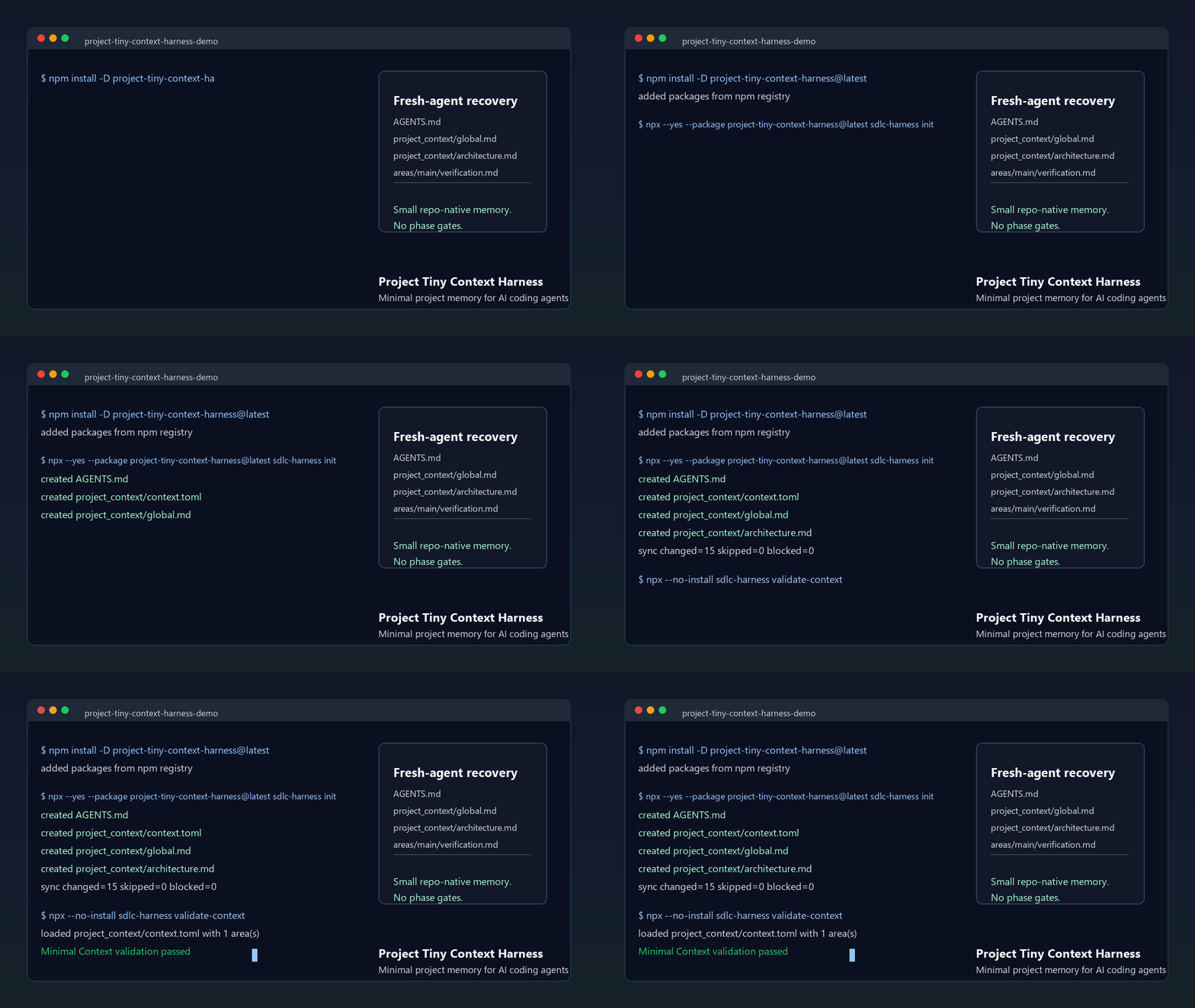 The demo shows the core loop: initialize `AGENTS.md` and `project_context/**`, run `validate-context`, then ask a fresh agent to recover intent before proposing code. Use the npm install path below, or inspect the no-install previews first. Install: ```sh npm install -D project-tiny-context-harness@latest npx --yes --package project-tiny-context-harness@latest sdlc-harness init ``` No-install preview: - Read the [fresh-agent recovery walkthrough](docs/examples/fresh-agent-recovery.md). - Inspect the [Minimal Context sample guide](docs/examples/minimal-context-sample.md). - Browse a tiny generated sample repository at [examples/minimal-context-sample/](examples/minimal-context-sample/). Source checkout preview: Browser preview: ```text Open https://codespaces.new/Seven128/project-tiny-context-harness ``` When the Codespace finishes `npm ci`, run: ```sh npm run smoke:quickstart npm run preview:pack ``` Local preview: ```sh git clone https://github.com/Seven128/project-tiny-context-harness.git cd project-tiny-context-harness npm ci npm run smoke:quickstart npm run preview:pack ``` That smoke packs the local workspace, installs it into a disposable repo, runs `sdlc-harness init` and validates the generated Minimal Context files. Use this path for package development, source-preview testing or private review. ```sh npm run preview:pack cd /path/to/your/test-repo npm install -D /path/to/project-tiny-context-harness/tmp/sdlc/source-preview/package/project-tiny-context-harness-0.2.51.tgz npx --no-install sdlc-harness init --adopt make validate-context ``` If the source preview path fails, open a [Source preview report](https://github.com/Seven128/project-tiny-context-harness/issues/new?template=source_preview_report.yml) with the command, environment and shortest useful output. Use it when coding agents repeatedly lose project intent across new chats, handoffs, RFC/debug turns or tool changes. The intended tradeoff is: keep durable intent and recovery paths; leave execution evidence to code, tests and review. ## Why It Exists Coding agents can move quickly inside one thread and still drift when a new chat, model, tool, reviewer or debugging session loses the project-specific facts that were never encod ... (truncated)
Repository
3stars
0forks
Details
Related Skills
More productivity & workflow skills you might like
Excel Automation
Productivity & WorkflowExcel Automation: create workbooks, manage worksheets, read/write cell data, and format spreadsheets via Microsoft Excel and Google Sheets integration
✨gemini🤖claude💬gpt⌨️cursor
77.0k
9.1k
View
Attio Automation
Productivity & WorkflowAutomate Attio CRM operations -- search records, query contacts and companies with advanced filters, manage notes, list attributes, and navigate your relationship data -- using natural language through the Composio MCP integration.
✨gemini🤖claude💬gpt⌨️cursor
77.0k
9.1k
View
Ashby Automation
Productivity & WorkflowAutomate recruiting and hiring workflows in Ashby -- manage candidates, jobs, applications, interviews, and notes through natural language commands.
✨gemini🤖claude💬gpt⌨️cursor
77.0k
9.1k
View
Apify Automation
Productivity & WorkflowAutomate web scraping and data extraction with Apify -- run Actors, manage datasets, create reusable tasks, and retrieve crawl results through the Composio Apify integration.
✨gemini🤖claude💬gpt⌨️cursor
77.0k
9.1k
View